Speech to Text & AI Note Taker2.5
Publisher Description
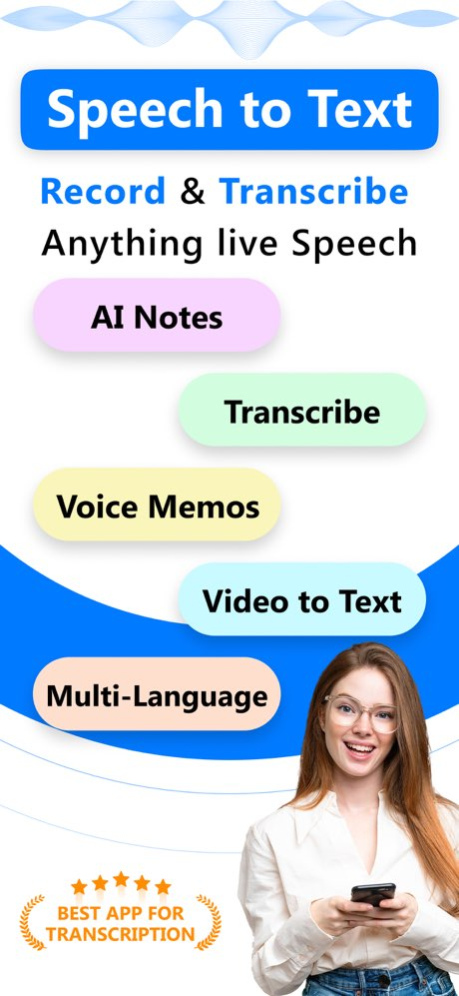
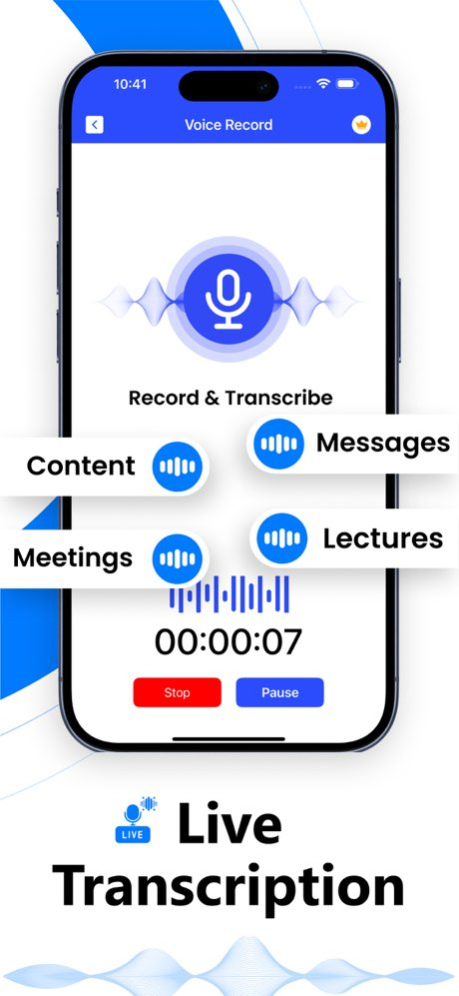
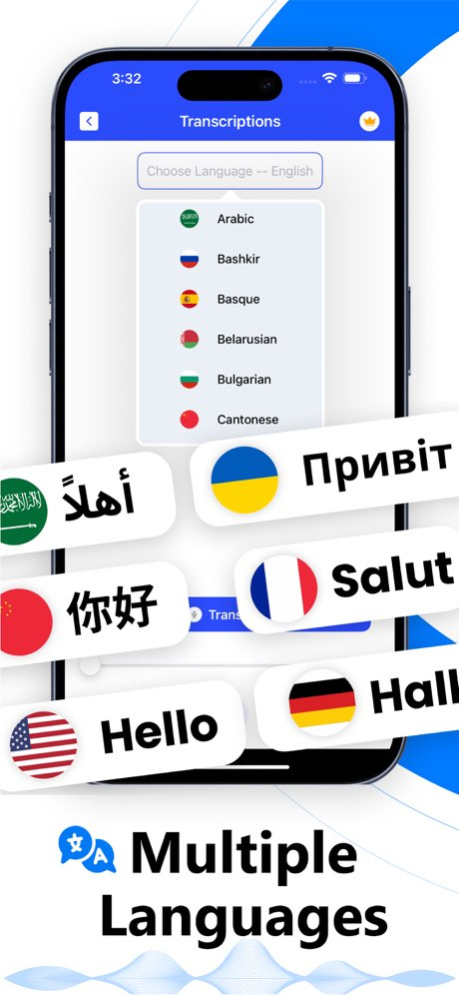
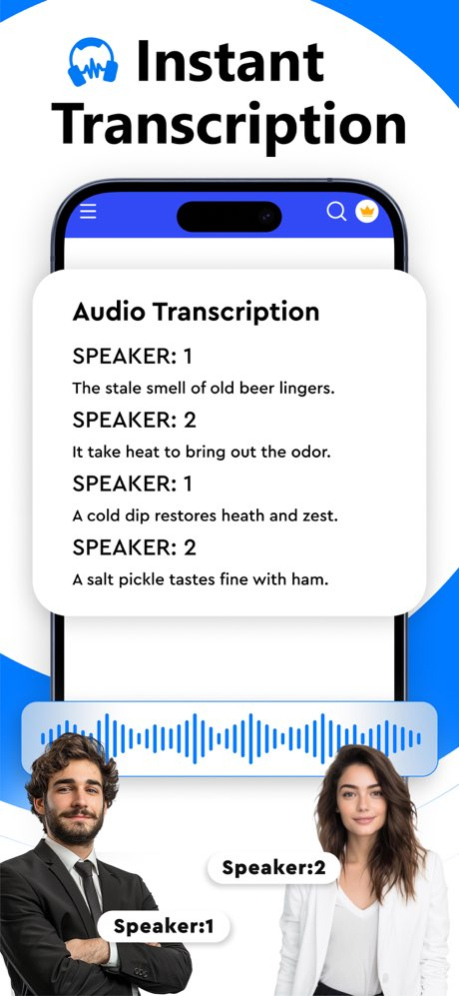
Speech to Text & Note Taker is an all-in-one AI-powered application that helps you convert audio and video into text, interact with your transcripts through AI Chat, and translate them into your preferred language.
With our speech to text app, you can extract text through any kind of audio or video, be it conversations, spoken ideas, or recordings.
You can save time and effort spent on manually transcribing, as this AI transcriber automates the entire task and completes the job in a matter of seconds.
AI Transcribe - Convert Speech to Text Effortlessly
The speech to text app makes transcription straightforward by giving you two flexible ways to transcribe text.
Local File: Upload an audio or video file directly from your device and let the app turn the spoken content into text. This is useful for recorded meetings, interviews, lectures, presentations, podcasts, voice recordings, and other saved files.
Live Mic: Use your phone's microphone for real-time voice to text transcription. Start speaking, recording, or capturing a conversation, and follow the words as they are transcribed.
With these two options, you can work with both existing recordings and conversations happening in the moment without manually typing everything out.
Turn Transcripts into AI Notes
Transcribing a recording is only the first step. Once your speech has been converted into text, you can use it to create more useful and focused AI notes with our AI note taker.
Chat with Your Transcripts Using AI
The AI Chat feature lets you have a conversation with your transcribed text. Ask questions about the content and explore the information without searching through the entire transcript yourself.
You can ask AI to summarize the main points, clarify information, identify important details, or perform other actions based on the transcript. This makes long recordings easier to understand and gives you a more interactive way to work with your content.
Translate Transcripts into Your Preferred Language
Language should not stand between you and useful information. The built-in Translator allows you to translate your transcript into your preferred language.
Why Choose this Speech to Text App
Convert audio and video files into text efficiently
Transcribe speech in real time using your phone's microphone
Work with saved recordings through Local File transcription
Interact with transcripts using AI Chat
Translate transcripts into your preferred language
Navigate the app effortlessly with its user-friendly interface
Who Can Use This AI Note Taker App?
Students
Teachers
Researchers
Journalists
Writers
Content Creators
Podcasters
Interviewers
Business Professionals
Download Now
So, what are you waiting for? Download our Speech to Text & AI Note Taker app today to start transcribing live or recorded files.
Note:
The payments for in-app purchases are directly charged from your iTunes account after the confirmation stage. The subscription to our service will be automatically renewed unless the auto-renewal option is turned off 24 hours before the expiration of the current subscription period. Your iTunes account will be charged for the renewed subscription within a 24-hour time period prior to the expiration of the current subscription. The users can manage their subscriptions and turn off the auto-renewal of their purchase by going to the settings of their account on the App Store.
Privacy Policy: https://conteza.com/privacy-policy.html
Terms of Use: https://conteza.com/terms-and-conditions.html
Version History - Minor Bugs Fixing
- UX Improvements 2.5 Aug 27 - New Features Added
- Minor Bugs Fixing
- UX Improvements
- Added full in-app localization 2.4 Jun 8 - New UI Design
- New Features Added
- Minor Bugs Fixing
- UX Improvements 2.3 May 11 - New UI Design
- New Features Added
- Minor Bugs Fixing
- UX Improvements 2.2 Feb 3 - Minor Bugs Fixing 2.1 10/08/2025 - Transcribe your Voices & Notes Faster
- Improved Speed & Accuracy 2.0 06/11/2025 - Minor Bug Fixes 1.9 06/05/2025 - Minor Bug Fixes & UI Improvements 1.8 02/21/2025 - Transcriptions are Now more Accurate and Faster
- Minor Bug Fixes 1.7 02/06/2025 Bug Fixing. 1.6 12/31/2024 AI Chat: Ask questions, get instant answers from your transcriptions.
Widget: Start Recording & Access transcriptions right from your home screen. 1.5 11/05/2024 - Live Transcription
- Minor Bug Fixes and Performance Enhancements 1.4 10/02/2024 Hi Everyone!
- This Update Lets You Edit Transcripts
- We Have Incorporated Editing Feature in the Transcribed File
- Minor Bug Fixes and Performance Enhancements 1.3 07/29/2024 - Improved UI
- Minor Bug fixes 1.2 07/09/2024 Hi Everyone!
- With this update, you can now transcribe in any language you like
- Added Language Selection option
- Optimized App's UI 1.1 06/24/2024 1.0 05/24/2024
About Speech to Text & AI Note Taker
The company that develops Speech to Text & AI Note Taker is CONTENT ARCADE DUBAI LTD FZE. The latest version released by its developer is 2.5.
To install Speech to Text & AI Note Taker on your iOS device, just click the green Continue To App button above to start the installation process. The app is listed on our website since 2026-10-14 and was downloaded 0 times. We have already checked if the download link is safe, however for your own protection we recommend that you scan the downloaded app with your antivirus. Your antivirus may detect the Speech to Text & AI Note Taker as malware if the download link is broken.
How to install Speech to Text & AI Note Taker on your iOS device:
- Click on the Continue To App button on our website. This will redirect you to the App Store.
- Once the Speech to Text & AI Note Taker is shown in the iTunes listing of your iOS device, you can start its download and installation. Tap on the GET button to the right of the app to start downloading it.
- If you are not logged-in the iOS appstore app, you'll be prompted for your your Apple ID and/or password.
- After Speech to Text & AI Note Taker is downloaded, you'll see an INSTALL button to the right. Tap on it to start the actual installation of the iOS app.
- Once installation is finished you can tap on the OPEN button to start it. Its icon will also be added to your device home screen.
Program Details
System requirements
Download information
Pricing
Version History
version 2.5
posted on 2026-10-14
Version History - Minor Bugs Fixing
- UX Improvements 2.5 Aug 27 - New Features Added
- Minor Bugs Fixing
- UX Improvements
- Added full in-app localization 2.4 Jun 8 - New UI Design
- New Features Added
- Minor Bugs Fixing
- UX Improvements 2.3 May 11 - New UI Design
- New Features Added
- Minor Bugs Fixing
- UX Improvements 2.2 Feb 3 - Minor Bugs Fixing 2.1 10/08/2025 - Transcribe your Voices & Notes Faster
- Improved Speed & Accuracy 2.0 06/11/2025 - Minor Bug Fixes 1.9 06/05/2025 - Minor Bug Fixes & UI Improvements 1.8 02/21/2025 - Transcriptions are Now more Accurate and Faster
- Minor Bug Fixes 1.7 02/06/2025 Bug Fixing. 1.6 12/31/2024 AI Chat: Ask questions, get instant answers from your transcriptions.
Widget: Start Recording & Access transcriptions right from your home screen. 1.5 11/05/2024 - Live Transcription
- Minor Bug Fixes and Performance Enhancements 1.4 10/02/2024 Hi Everyone!
- This Update Lets You Edit Transcripts
- We Have Incorporated Editing Feature in the Transcribed File
- Minor Bug Fixes and Performance Enhancements 1.3 07/29/2024 - Improved UI
- Minor Bug fixes 1.2 07/09/2024 Hi Everyone!
- With this update, you can now transcribe in any language you like
- Added Language Selection option
- Optimized App's UI 1.1 06/24/2024 1.0 05/24/2024
version 2.4
posted on 2026-08-27
Version History - New Features Added
- Minor Bugs Fixing
- UX Improvements
- Added full in-app localization 2.4 Jun 8 - New UI Design
- New Features Added
- Minor Bugs Fixing
- UX Improvements 2.3 May 11 - New UI Design
- New Features Added
- Minor Bugs Fixing
- UX Improvements 2.2 Feb 3 - Minor Bugs Fixing 2.1 10/08/2025 - Transcribe your Voices & Notes Faster
- Improved Speed & Accuracy 2.0 06/11/2025 - Minor Bug Fixes 1.9 06/05/2025 - Minor Bug Fixes & UI Improvements 1.8 02/21/2025 - Transcriptions are Now more Accurate and Faster
- Minor Bug Fixes 1.7 02/06/2025 Bug Fixing. 1.6 12/31/2024 AI Chat: Ask questions, get instant answers from your transcriptions.
Widget: Start Recording & Access transcriptions right from your home screen. 1.5 11/05/2024 - Live Transcription
- Minor Bug Fixes and Performance Enhancements 1.4 10/02/2024 Hi Everyone!
- This Update Lets You Edit Transcripts
- We Have Incorporated Editing Feature in the Transcribed File
- Minor Bug Fixes and Performance Enhancements 1.3 07/29/2024 - Improved UI
- Minor Bug fixes 1.2 07/09/2024 Hi Everyone!
- With this update, you can now transcribe in any language you like
- Added Language Selection option
- Optimized App's UI 1.1 06/24/2024 1.0 05/24/2024
version 2.4
posted on 2026-06-12
Version History - New Features Added
- Minor Bugs Fixing
- UX Improvements
- Added full in-app localization 2.4 4d ago - New UI Design
- New Features Added
- Minor Bugs Fixing
- UX Improvements 2.3 May 11 - New UI Design
- New Features Added
- Minor Bugs Fixing
- UX Improvements 2.2 Feb 3 - Minor Bugs Fixing 2.1 10/08/2025 - Transcribe your Voices & Notes Faster
- Improved Speed & Accuracy 2.0 06/11/2025 - Minor Bug Fixes 1.9 06/05/2025 - Minor Bug Fixes & UI Improvements 1.8 02/21/2025 - Transcriptions are Now more Accurate and Faster
- Minor Bug Fixes 1.7 02/06/2025 Bug Fixing. 1.6 12/31/2024 AI Chat: Ask questions, get instant answers from your transcriptions.
Widget: Start Recording & Access transcriptions right from your home screen. 1.5 11/05/2024 - Live Transcription
- Minor Bug Fixes and Performance Enhancements 1.4 10/02/2024 Hi Everyone!
- This Update Lets You Edit Transcripts
- We Have Incorporated Editing Feature in the Transcribed File
- Minor Bug Fixes and Performance Enhancements 1.3 07/29/2024 - Improved UI
- Minor Bug fixes 1.2 07/09/2024 Hi Everyone!
- With this update, you can now transcribe in any language you like
- Added Language Selection option
- Optimized App's UI 1.1 06/24/2024 1.0 05/24/2024
version 2.2
posted on 2026-05-09
Version History - New UI Design
- New Features Added
- Minor Bugs Fixing
- UX Improvements 2.2 Feb 3 - Minor Bugs Fixing 2.1 10/08/2025 - Transcribe your Voices & Notes Faster
- Improved Speed & Accuracy 2.0 06/11/2025 - Minor Bug Fixes 1.9 06/05/2025 - Minor Bug Fixes & UI Improvements 1.8 02/21/2025 - Transcriptions are Now more Accurate and Faster
- Minor Bug Fixes 1.7 02/06/2025 Bug Fixing. 1.6 12/31/2024 AI Chat: Ask questions, get instant answers from your transcriptions.
Widget: Start Recording & Access transcriptions right from your home screen. 1.5 11/05/2024 - Live Transcription
- Minor Bug Fixes and Performance Enhancements 1.4 10/02/2024 Hi Everyone!
- This Update Lets You Edit Transcripts
- We Have Incorporated Editing Feature in the Transcribed File
- Minor Bug Fixes and Performance Enhancements 1.3 07/29/2024 - Improved UI
- Minor Bug fixes 1.2 07/09/2024 Hi Everyone!
- With this update, you can now transcribe in any language you like
- Added Language Selection option
- Optimized App's UI 1.1 06/24/2024 1.0 05/24/2024
version 2.2
posted on 2026-02-03
- New UI Design
- New Features Added
- Minor Bugs Fixing
- UX Improvements
version 2.1
posted on 2025-10-08
- Minor Bugs Fixing
